WinAppack Agent with Intune : General Configuration
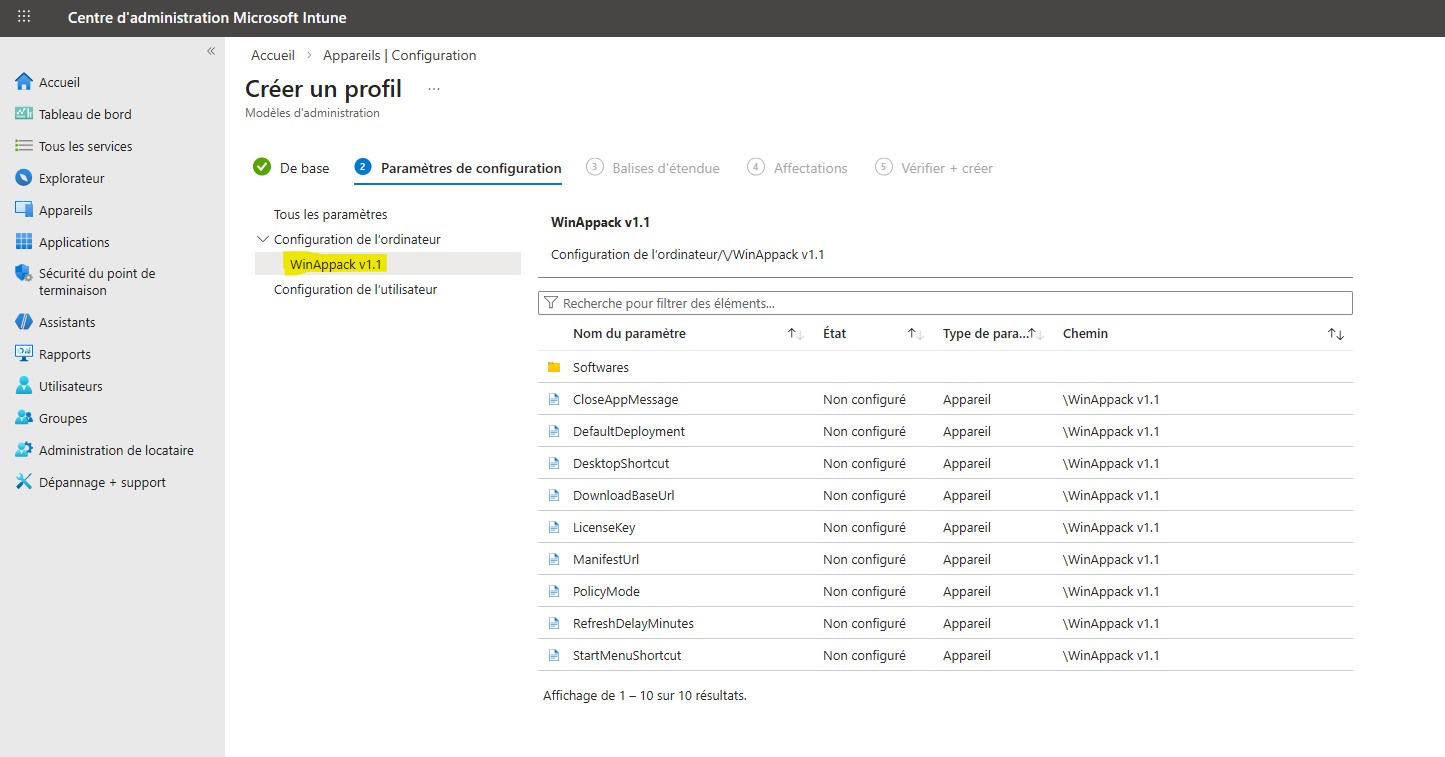
All policies configure the following registry keys : HKLM\SOFTWARE\Policies\WinAppack\...
The WinAppack Agent relies on the values of these registry keys.
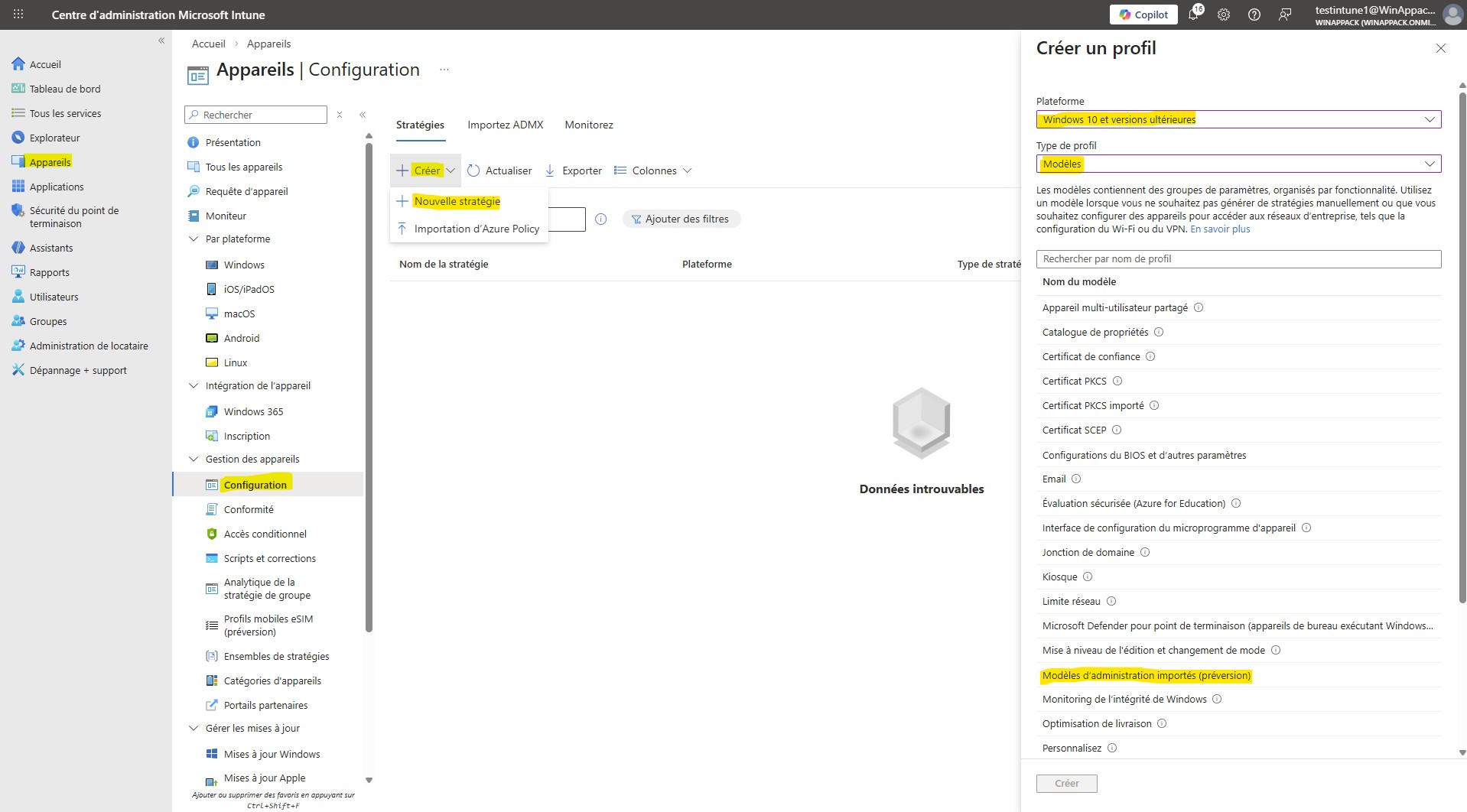
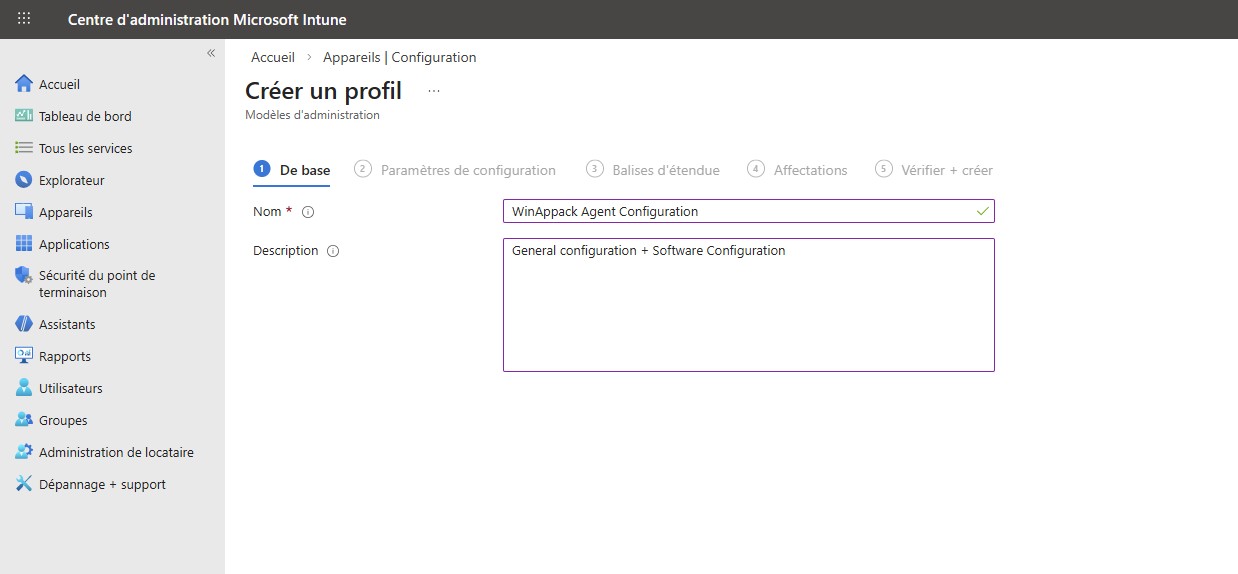
You can create a new Policy as shown below:
PolicyMode
This policy enables or disables management of the WinAppack Agent via GPO. When disabled, all other policies have no effect.
Accepted Values :
To enable management of the WinAppack Agent :
enabledTo disable management of the WinAppack Agent :
disabledDefault Value :
disabledLicenseKey
Use this policy to activate the WinAppack Agent. Without a license key, all other policies have no effect.
Activate the WinAppack Agent :
Accepted Values : Replace "ABCDEFG123" by your licenseKey
ABCDEFG123Default Value :
disabledDesktopShortcut
Manage the "WinAppack.lnk" shortcut on the public desktop :
Accepted Values :
enableddisabledDefault Value :
enabledStartMenuShortcut
Manage the "WinAppack.lnk" shortcut in the Start Menu :
Accepted Values :
enableddisabledDefault Value :
enabledManifestUrl
URL of the JSON manifest containing the list of available software :
Accepted Values :
https://otherserver.com/v1/WinAppack-SoftwareList.jsonTo explicitly use the default URL, set the value to :
disabledDefault Value : https://api.winappack.fr/v1/WinAppack-SoftwareList.json
disabledDownloadBaseUrl
URL of the site hosting the software logos (.svg / .png) and the PowerShell installation scripts (.ps1) :
Accepted Values :
https://otherserver.comTo explicitly use the default hosting site, set the value to :
disabledDefault Value : https://api.winappack.fr
disabledRefreshDelayMinutes
Time interval between update checks :
Accepted Values :
- Minimum: 10 (10 minutes)
- Maximum: 1440 (24 hours)
60To explicitly use the default value, set the value to : 60
disabledDefault Value : 60
disabledCloseAppMessage
Enable or Disable the message asking the user to close the application before installation :
Accepted Values :
enableddisabledDefault Value :
disabledDefaultDeployment
Manage the default behavior in the user interface for software that does not have a deployment policy :
Accepted Values :
Available : For software that does not have any Deployment policy in the Software configuration, the software will appear as available in the user interface
AvailableNotAvailable : For software that does not have any Deployment policy in the Software configuration, the software will not appear in the user interface.
NotAvailableDefault Value : Available
AvailableSoftware Configuration :
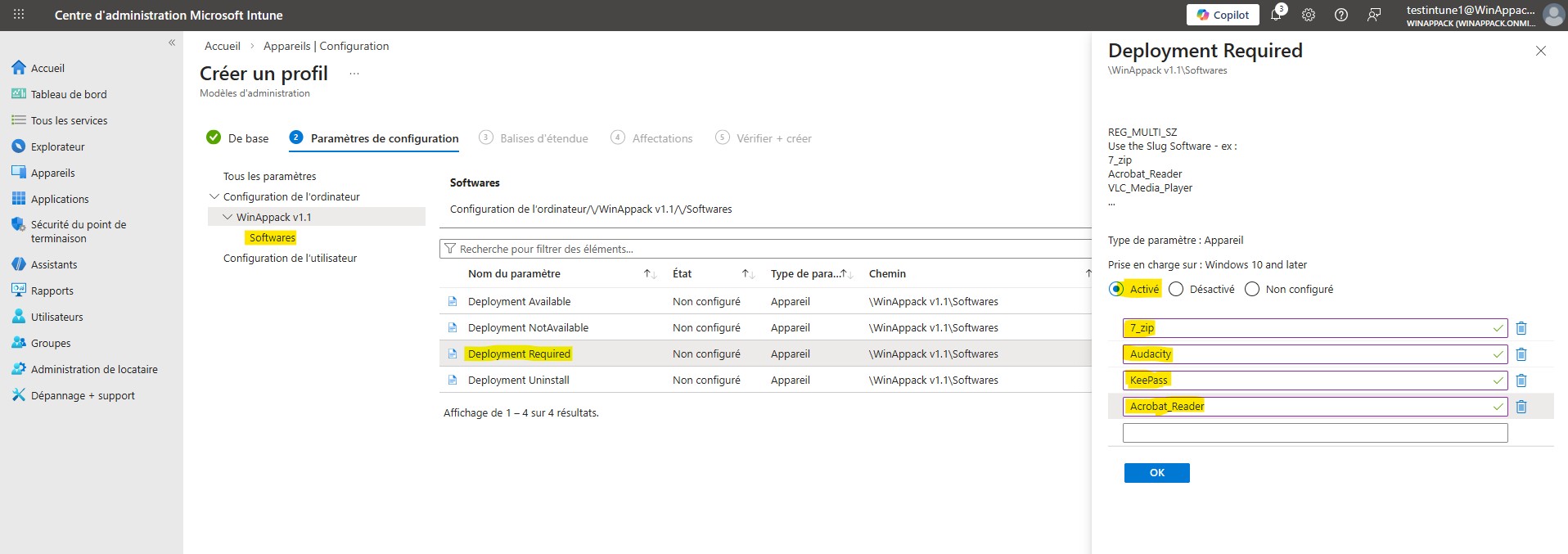
To configure the list of authorized software, use the Slug of each software : Software List
Deployment Available
Each software present in this policy will be available for installation/uninstallation in the user interface.
Accepted Values : Replace {Slug} by one or multiple Software Slug.
{Slug1}
{Slug2}
{Slug3}
Example :
Audacity
7_zip
Notepad_plus_plus
Default value for each Software : See DefaultDeployment policy value.
Deployment Required
Each software present in this policy will be automatically installed. Users cannot manage the installation or uninstallation of this softwares in the user interface.
Accepted Values : Replace {Slug} by one or multiple Software Slug.
{Slug1}
{Slug2}
{Slug3}
Example :
Audacity
7_zip
Notepad_plus_plus
Default value for each Software : See DefaultDeployment policy value.
Deployment NotAvailable
Each software present in this policy will not be available for installation/uninstallation in the user interface. Users cannot manage the installation or uninstallation of this softwares in the user interface.
Accepted Values : Replace {Slug} by one or multiple Software Slug.
{Slug1}
{Slug2}
{Slug3}
Example :
Audacity
7_zip
Notepad_plus_plus
Default value for each Software : See DefaultDeployment policy value.
Deployment Uninstall
Each software present in this policy will be automatically uninstalled. Users cannot manage the installation or uninstallation of this softwares in the user interface.
Accepted Values : Replace {Slug} by one or multiple Software Slug.
{Slug1}
{Slug2}
{Slug3}
Example :
Audacity
7_zip
Notepad_plus_plus
Default value for each Software : See DefaultDeployment policy value.
Remark : If a software is present in different Deployment Policies, the Agent applies policies in the following priority order : Uninstall, NotAvailable, Required, Available